

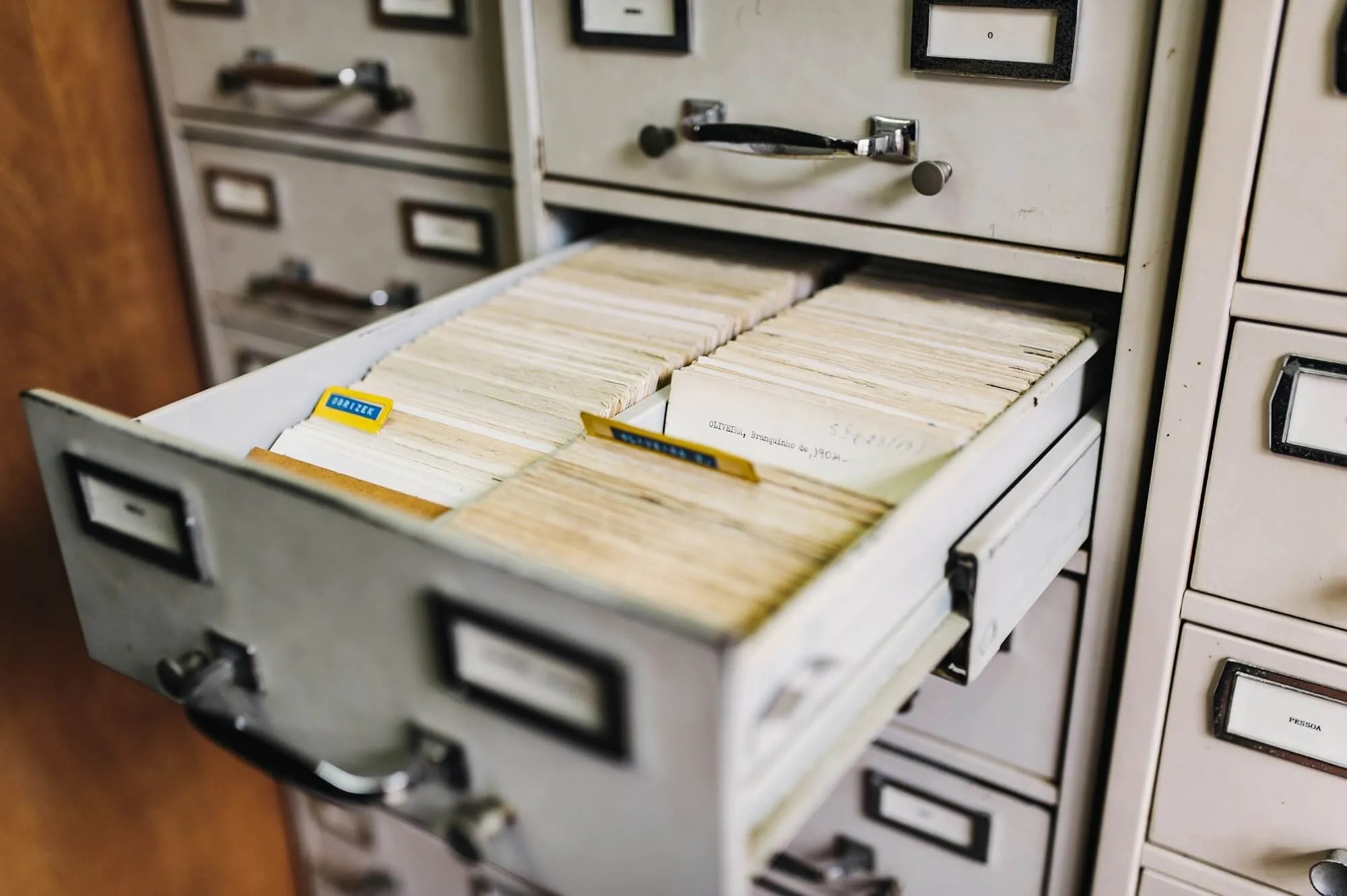
What is a Customer Database Software?
Customer Database Software allows businesses to store and manage contact details of customers, including names, addresses, phone numbers, email addresses, and other relevant information. It provides a comprehensive view of each customer, including their purchase history, interactions with the business, preferences, demographics, and any other relevant data. Businesses can track and manage leads from various sources, including lead capture, qualification, assignment, and nurturing until they are ready to become customers. Allows businesses to create custom fields to capture specific information relevant to their industry or unique to their business.
Customer Database Software allows businesses to segment customers based on various criteria such as demographics, purchase history, preferences, and behaviour for targeted marketing campaigns. In addition, businesses can automate repetitive tasks and processes related to customer management, such as sending follow-up emails, updating customer records, or triggering notifications based on predefined conditions.
Features of Customer Database Software
List of Customer Database Software
When you start looking for the best customer database software, it is easy to get overwhelmed with the list of options available. Here is the handpicked list of customer database software to choose as per your requirement:
1. Salesforce

Salesforce is a customer database software that allows businesses to centralise all customer data, including contact info, interactions, purchase history, and preferences. Users can store and organise customer profiles, company details, and relationships. It enables users to automate repetitive tasks (e.g., sending follow-up emails and updating records). In addition, users can integrate with Marketing Cloud for personalised campaigns and measure campaign effectiveness with detailed analytics.
Key Features:
- Users can segment customers based on behaviour, demographics, or engagement
- Businesses can manage queries from email, chat, phone, and social media in one place
- Allows users to capture potential customers (leads) and track sales opportunities through the pipeline
- Allows users to connect customer data with IoT devices (e.g., smart products)
To know more about Salesforce Customer Database Software features and product options, click here to continue.
2. Pipedrive
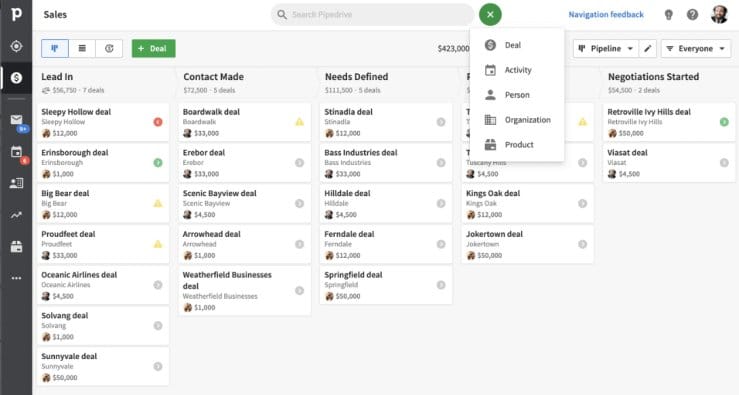
Pipedrive is a customer database software that allows users to store and organise customer information in a centralised database. Users can add and manage contacts, track communication history, and view critical details such as company affiliation and social media profiles. Allows to import leads from various sources, assign deals to specific team members, set expected close dates, add notes and attachments, and track activities and tasks associated with each deal. In addition, users can customise pipeline stages to match their sales process, move deals between stages, and get a transparent sales pipeline overview.
Key Features:
- It provides a visual sales pipeline that allows you to track the progress of your deals and sales opportunities
- Users can segment their contacts based on various criteria, such as location, industry, or purchase history
- Users can generate reports on sales activities, conversion rates, deal value, and team performance to identify trends and measure progress
- Users can integrate with email providers to sync their accounts, track conversations, and send emails directly from Pipedrive
To know more about Pipedrive Customer Database Software features and product options, click here to continue.
3. Insightly
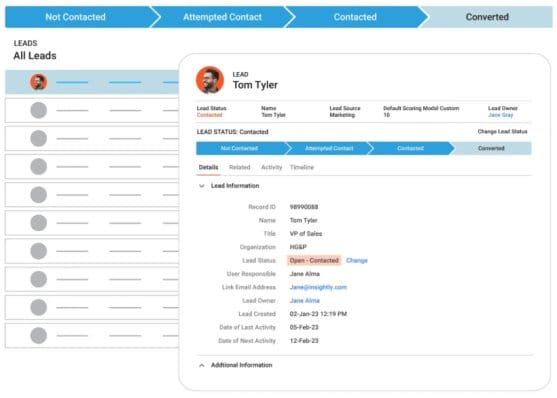
Insightly is a customer database software that allows users to store and manage contacts, companies (accounts), and leads in a unified system. It enables users to track communication history (emails, calls, meetings, notes). Users can use Gantt charts and Kanban boards for project visualisation and link projects to customer records for better context. In addition, users can segment customers with custom fields and tags for better organisation.
Insightly enables users to sign documents electronically via HelloSign or DocuSign and track signed contracts linked to deals. Allows users to connect with Slack, Mailchimp, QuickBooks, Xero, Zapier, Gmail, Outlook, and Office 365.
Key Features:
- Users can automate repetitive tasks (e.g., follow-up emails and task assignments)
- Users can use filters for quick access to segmented data (e.g., "High-Priority Leads")
- Allows users to capture leads from web forms, emails, or manual entry
- Allows users to attach (contracts, proposals, and images) to customer records
To know more about Insightly Customer Database Software features and product options, click here to continue.
4. Zendesk

Zendesk is a customer database software that enables users to track and store customer details, such as contact information, communication history, and support tickets. Users can create, assign, prioritise, and track support tickets, ensuring customer inquiries and issues are addressed promptly and effectively. Provides a history of customer communications, allowing users to have a complete view of each client's interactions and preferences. In addition, it allows users to share notes and information about customers with their team members to ensure everyone has up-to-date customer details.
Key Features:
- Businesses can segment their customers based on various criteria, such as industry, location, or subscription tier
- Users can generate reports on metrics such as response times, ticket volumes, and customer satisfaction ratings
- Allows businesses to provide support across various communication channels, including email, live chat, social media, and phone
- Users can integrate with third-party applications like CRM platforms, live chat tools, and customer feedback systems
To know more about Zendesk Customer Database Software features and product options, click here to continue.
5. Copper
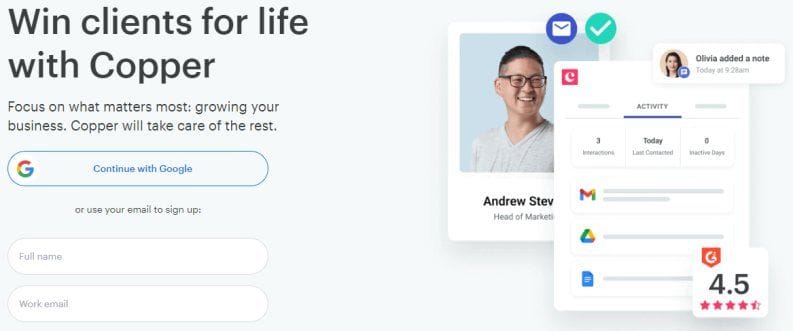
Copper is a cloud-based customer database software with a centralised database to store and manage customer and prospect information. Allows users to track interactions, log activities, and comprehensively view each client's history. Users can move leads through different stages, set reminders, and assign tasks to team members. In addition, it enables users to assign scores to leads based on predefined criteria such as engagement level, demographics, or buying intent.
Key Features:
- Users can create rules and triggers to automate actions like sending follow-up emails, assigning tasks, or updating contact information
- Provides a mobile application for iOS and Android devices, enabling users to access customer information, manage tasks, and stay productive
- Users can integrate with applications like Gmail, Outlook, and Google Calendar to schedule and manage appointments and meetings
- Allows users to generate custom reports, track key metrics, and make data-driven decisions to optimise their sales processes
To know more about Copper Customer Database Software features and product options, click here to continue.
6. Bitrix24
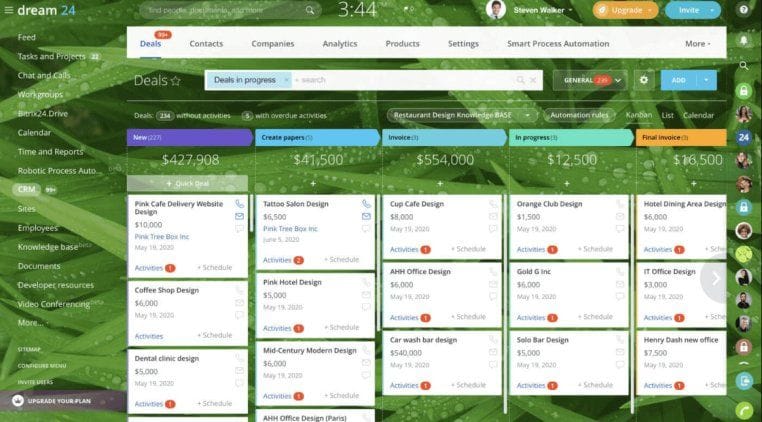
Bitrix24 is a customer database software that helps users visualise and manage their sales pipeline effectively. Users can track leads, opportunities, and deals at various stages, set reminders, and assign tasks to team members to ensure timely follow-ups and conversions. Users can store and manage detailed client information, including contact details, communication history, and lead status. In addition, it provides a customer portal where users can provide personalised access to customers and let them view their account information, invoices, and project status.
Key Features:
- It provides a mobile app for iOS and Android devices to access customer information, manage tasks, and communicate on the go
- Users can integrate with social media accounts to monitor and engage with customers on platforms like Facebook, Twitter, and Instagram
- Allows users to generate reports on sales performance, lead conversion rates, and customer satisfaction
- Users can set access permissions and collaborate on files, ensuring easy access and version control
To know more about Bitrix24 Customer Database Software features and product options, click here to continue.
7. HoneyBook
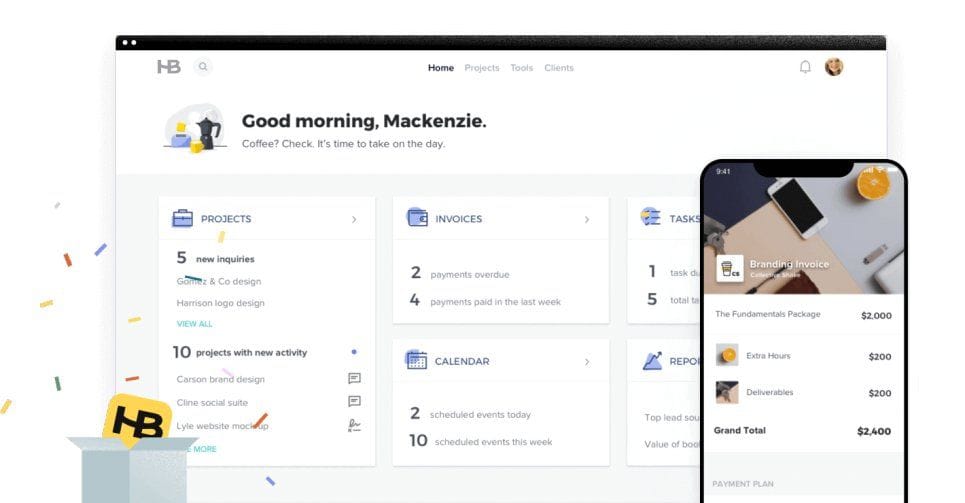
HoneyBook is a customer database software that enables users to store and access customer information, including contact details, project history, communication history, and files. Users can create customizable online booking forms for customers to request their services and embed these forms on their websites or share them via email or social media. Users can create and organise each project's tasks, assign tasks to team members, set deadlines, and track progress. In addition, it enables users to track the time spent on client projects, monitor productivity and accurately bill clients.
Key Features:
- It offers a portal where customers can access project details, contracts, invoices, and other relevant information
- Users can customise contract templates, specify terms and conditions, and securely collect customer signatures
- Users can create customizable questionnaires and surveys to gather customer information or feedback for better project planning and customer satisfaction
- Users can integrate with tools like G Suite, QuickBooks, and Zapier to sync data across different systems and streamline their workflow
To know more about HoneyBook Customer Database Software features and product options, click here to continue.
8. Keap
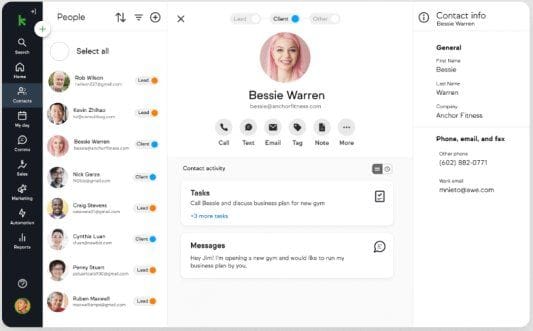
Keap is a customer database software designed to help small businesses automate their sales and marketing processes. Businesses can store and organise customer contact information in a centralised database and view each customer's interactions, purchase history, and communication preferences. Users can capture leads through web forms, assign follow-up tasks, and automate lead-nurturing campaigns. In addition, businesses can segment their contacts based on various criteria, such as demographics, purchase history, and engagement levels.
Key Features:
- Users can integrate with e-commerce platforms, allowing businesses to manage their online sales and customer data in one place
- It offers a mobile app that allows users to access their customer information, manage leads, and engage with customers on the go
- Allows users to create and assign tasks to team members, ensure timely follow-ups, and track progress
- Businesses can create and send personalised email campaigns to their contacts
To know more about Keap Customer Database Software features and product options, click here to continue.
9. Apptivo
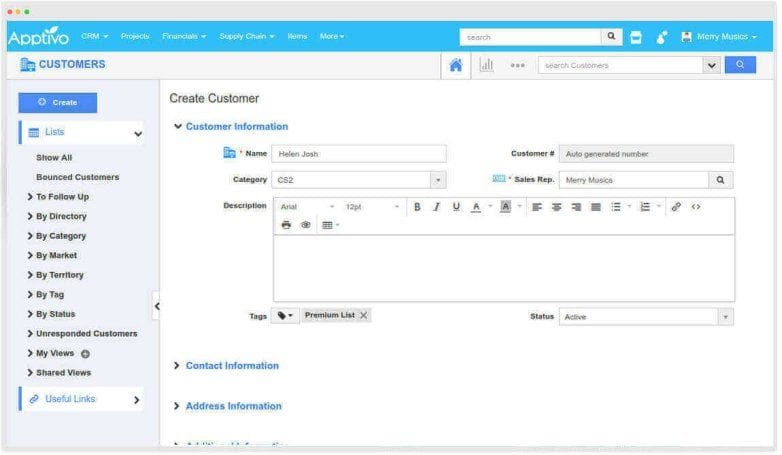
Apptivo is a cloud-based customer database software that enables users to store and manage detailed contact information for their customers, including names, addresses, phone numbers, and email addresses. Users can capture, track, and manage leads from various sources, assign them to team members, set deadlines, and prioritise tasks. Allows users to upload, store, and share documents related to customers, such as contracts, proposals, and invoices. In addition, it enables users to track mentions, comments, and messages and respond promptly to customer inquiries or feedback.
Key Features:
- It offers mobile apps for iOS and Android devices to access customer information, manage tasks, and stay connected on the go
- Users can segment their customer base based on various criteria such as demographics, purchase history, or engagement levels
- Users can schedule and manage appointments, meetings, client follow-ups, set reminders, and sync events
- Users can integrate with email platforms to send, receive, and track emails within the CRM
To know more about Apptivo Customer Database Software features and product options, click here to continue.
10. Accelo
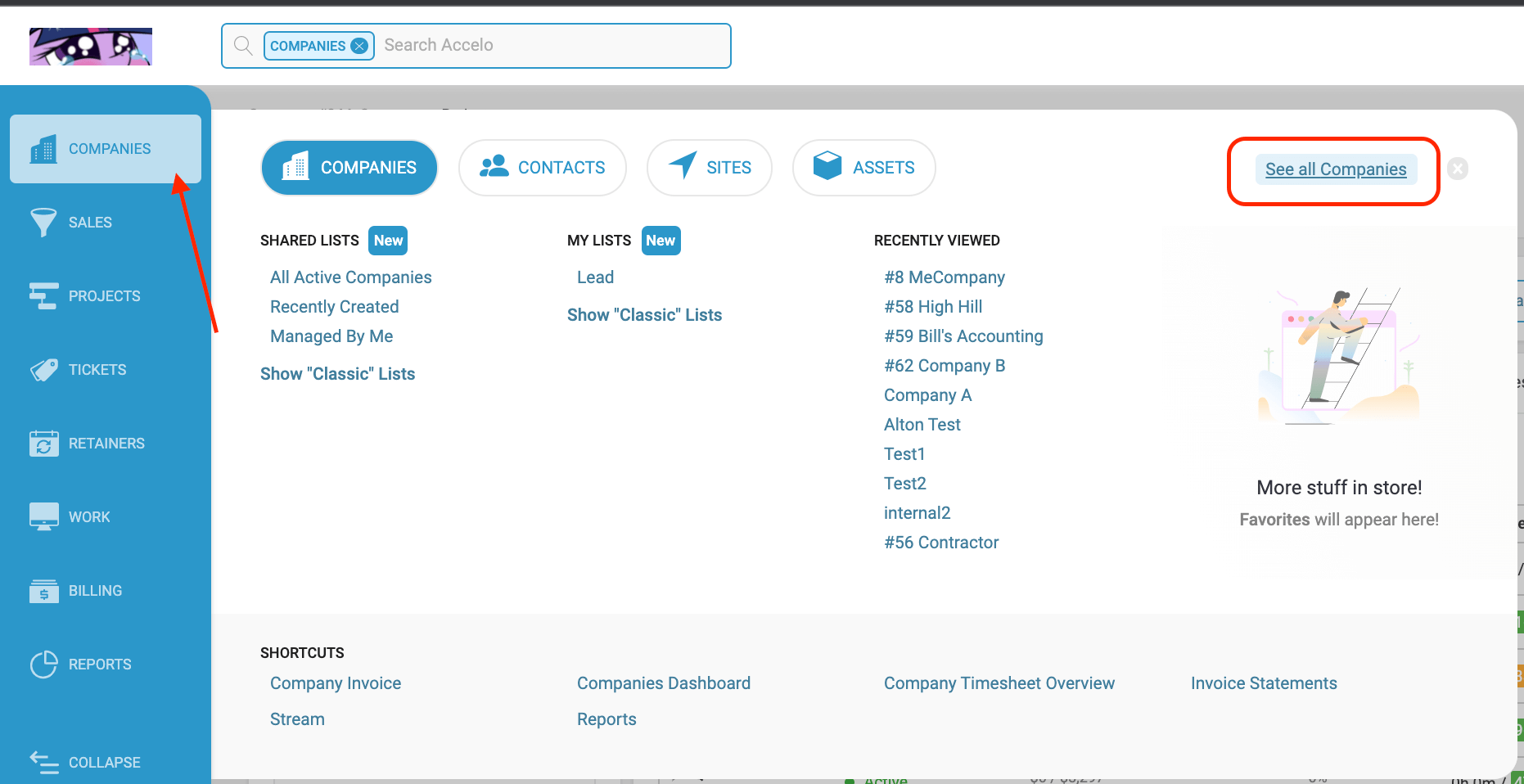
Accelo is a cloud-based customer database software that enables users to create and manage projects, assign tasks, set deadlines, and track progress. It provides a robust CRM system to store and manage customer information and track customer details, communication history, and interactions. Users can capture and track leads, nurture prospects, and monitor the sales pipeline to streamline sales processes and improve conversion rates. In addition, it enables users to track billable hours spent on client work, making it easier to generate invoices and track revenue.
Key Features:
- It provides a portal where customers can access project information, view progress updates, and track invoices
- Allows users to segment their base based on various criteria, such as industry, location, or revenue
- Users can share calendars and documents, and assign tasks to promote collaboration among team members and improve project coordination
- Users can integrate with various third-party applications like email, accounting, and project management tools
To know more about Accelo Customer Database Software features and product options, click here to continue.
Conclusion
Customer Database Software enables businesses to build stronger relationships with their customers, improve customer service, and drive growth. It facilitates the management of customer loyalty programs, including points accumulation, rewards redemption, and personalised offers for loyal customers. In addition, it allows businesses to manage subscriptions, memberships, or recurring billing information for customers who subscribe to products or services.
Featured Image Courtesy – Photo by Maksym Kaharlytskyi on Unsplash
