

What is an Attendance Tracking Software?
Attendance Tracking Software allows organisations to automate the recording and management of when employees start and end their workdays, as well as their breaks, time off, and absences. Users can use fingerprints, facial recognition, or palm veins to prevent "buddy punching" (when one employee clocks in for another). Managers set a virtual boundary (geofence) around a job site, and employees can only clock in when their phones are within that zone. In addition, it automatically flags scheduling conflicts, like double-booking an employee or scheduling someone outside their availability.
Attendance Tracking Software automatically calculates and updates each employee's available leave balance in accordance with company policy (e.g., 4 hours per week). Users can set up multiple leave types (e.g., Vacation, Sick Leave, Bereavement, Jury Duty) with specific rules for each. Employees can clock in or out from a computer or a smartphone app.
Features of Attendance Tracking Software
List of Attendance Tracking Software
When you start looking for attendance tracking software, it is easy to get overwhelmed with the list of options available. Here is the handpicked list of attendance tracking software to choose as per your requirement:
1. RapidHR
RapidHR is an attendance tracking software designed to automate and streamline the entire process of tracking employee attendance, working hours, leaves, and shifts. It offers a centralised calendar for managing various leave types (sick, casual, vacation, etc.). Employees can apply for leave online, which then routes for manager approval based on configured workflows. In addition, it provides live dashboards for managers to see who is present, absent, on leave, or late.
RapidHR enables employees to request "regularisation" of their attendance with a reason (e.g., forgot to punch), which a manager can approve or reject. Managers can create various reports like Attendance Summary, Late Coming Report, Absenteeism Report, and Overtime Report for payroll and analysis. Allows employees to view their own attendance history and leave balances.
Key Features:
- Allows companies to set their specific attendance policies (e.g., half-day rules and compensatory time off)
- It can notify a manager if an employee is approaching a trigger point for unscheduled absences
- It automatically calculates total hours worked, overtime hours, late arrivals, and early departures
- Allows users to export reports to Excel or PDF for further analysis or sharing
To know more about RapidHR Attendance Tracking Software features and product options, click here to continue.
2. Timeclock 365
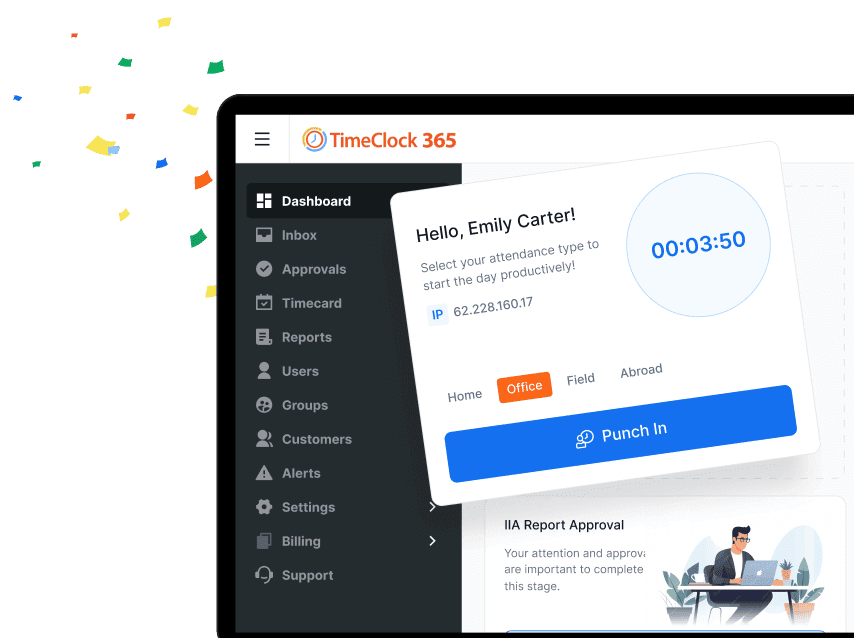
Timeclock 365 is a cloud-based attendance tracking application that operates directly within Microsoft 365 (formerly Office 365). It allows employees to clock in and out for work, track breaks, and manage leave requests. Allows companies to set virtual boundaries. Employees can only clock in when they are within a predefined geographic area (e.g., the office, a client's site). In addition, employees can request time off (vacation, sick leave, etc.), and requests are sent to managers for approval.
Timeclock 365 allows managers to create complex shift patterns (e.g., day, night, rotating) and assign them to employees or teams. Users can create timesheet data in various formats (e.g., Excel, CSV) for easy import into major payroll systems like ADP, QuickBooks, Sage, etc.
Key Features:
- It automatically calculates regular time, overtime, and double-time based on configurable rules
- Managers get a live view of who is currently working, who is late, and who is absent
- Users can sync with a shared team calendar in SharePoint, so everyone can see who is out of the office
- Users can create detailed reports on attendance, hours worked, overtime, and absences for payroll processing
To know more about Timeclock 365 Attendance Tracking Software features and product options, click here to continue.
3. Clockify
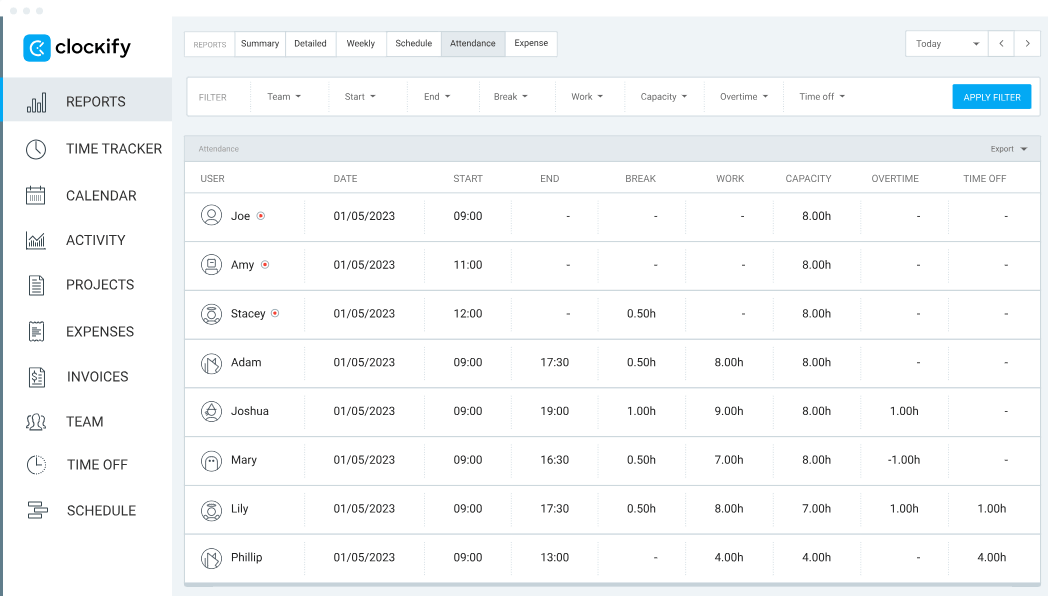
Clockify is an attendance tracking software that allows employees to clock in and out of work, and it gives managers a clear view of who is working, when, and for how long. It provides a calendar-like view of the entire team's hours for the week, making it easy to spot attendance patterns and discrepancies. Managers can create and assign shifts, making it a more traditional scheduling and attendance system. In addition, it enables managers to set up categories for vacation, sick leave, personal day, public holiday, maternity/paternity leave, etc.
Key Features:
- Users can generate reports on hours worked, attendance, and absences for individuals, teams, or the entire company
- Allows users to export reports to PDF, Excel, or CSV for easy integration with payroll systems or for record-keeping
- Employees can request time off, and managers can approve or deny it
- Managers can review and approve timesheets before they are locked in for payroll
To know more about Clockify Attendance Tracking Software features and product options, click here to continue.
4. HROne
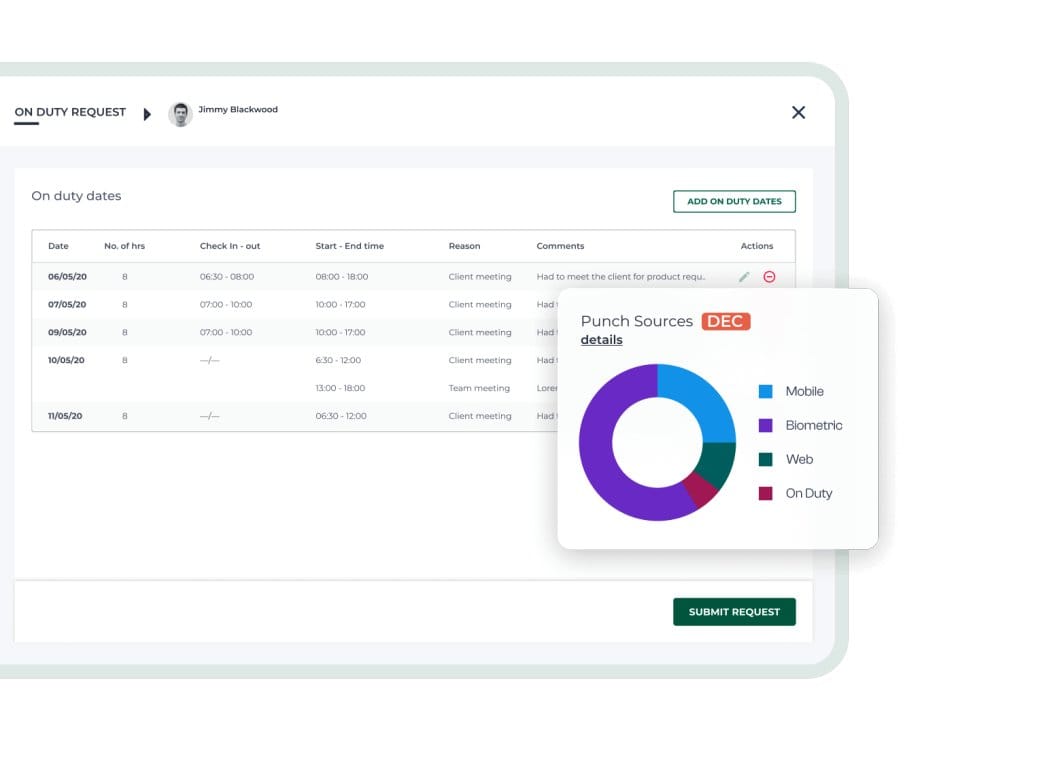
HROne is a cloud-based attendance tracking software that allows employees to mark attendance via the mobile app, with location tracking to ensure they are at a designated client site or office. Allows companies to restrict attendance marking to specific IP addresses (e.g., only within the office network). Managers can create multiple leave types (Casual, Sick, Earned, Maternity/Paternity, etc.) with specific rules for accrual, encashment, and carry-forward. Employees can apply for leave, view their balance, and see team calendars, reducing HR's administrative load.
HROne attendance tracking software allows employees to request regularisation for forgotten punches or missed attendance with a reason, and managers can easily approve or reject these requests, maintaining data integrity. It can automatically flag leave applications if they conflict with holidays, already approved leaves, or project deadlines.
Key Features:
- Managers can connect with various fingerprint and facial recognition devices, and attendance punches are automatically synced to the cloud in real-time
- Managers can define complex shifts (general, night, rotating) with specific start/end times, grace periods, and break schedules
- It can automatically calculate overtime based on predefined rules (e.g., hours worked beyond the scheduled shift)
- Users can track every single change made to attendance data—who made the change, when, and why
To know more about HROne Attendance Tracking Software features and product options, click here to continue.
5. Zoho
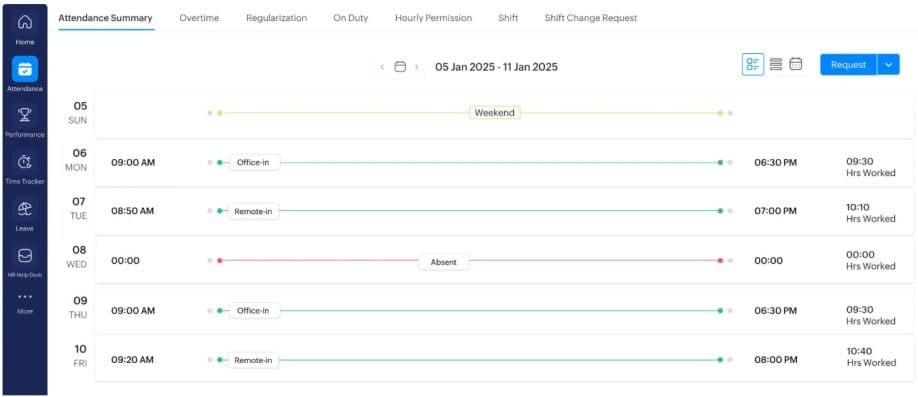
Zoho is a cloud-based attendance tracking software that allows organisations to track employee clock-ins, clock-outs, leaves, and shifts seamlessly. Users can connect with biometric devices (such as Zoho's own Zoho Timeclocks or others from ZKTeco) to automatically sync attendance data. It can automatically generate timesheets based on clock-in/out data, and managers can review, edit, and approve timesheets with a click. Approved leaves, holidays, and time-off are automatically reflected in the attendance calendar and reports. It prevents employees from clocking in when they are on scheduled leave. In addition, users can define specific "geofenced" locations or approved IP address ranges from which employees are allowed to clock in.
Key Features:
- Users can define multiple shifts (day, night, and rotating) with specific start/end times and break periods
- Attendance data flows directly into payroll, ensuring accurate salary processing based on actual hours worked
- Users can generate pre-built reports on attendance summaries, late comers, early leavers, overtime hours, and absence trends
- Allows employees to formally request corrections for missing punches or an incorrect attendance status, providing a reason for manager approval
To know more about Zoho Attendance Tracking Software features and product options, click here to continue.
6. EmpMonitor
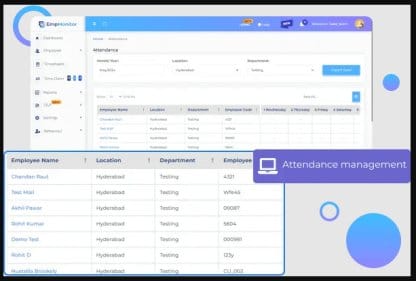
EmpMonitor is an attendance tracking software that allows users to track when an employee starts and stops using their work computer. Users can calculate the total active hours for each employee, differentiating between active computer time and idle time. Users can restrict attendance logging to specific IP addresses (e.g., only the office network) or geographic locations. In addition, it provides easy-to-read timesheets that can be filtered by date, department, or individual employee, simplifying payroll processing.
Key Features:
- Allows managers to log which applications and websites employees use and for how long, categorising them as productive or unproductive
- Users can generate comprehensive reports showing login time, logout time, break durations, and total work hours
- It can take periodic screenshots of employee screens to visually verify the work being done during tracked hours
- Administrators can set a threshold for what is considered "idle" (e.g., 5 or 10 minutes)
To know more about EmpMonitor Attendance Tracking Software features and product options, click here to continue.
7. Handdy

Handdy is an attendance tracking software that is designed for remote and field employees. Staff can clock in/out from their mobile app, and managers can set up virtual boundaries (geofences) around job sites to ensure attendance is marked from the correct location. Employees can view their leave balances, apply for time off, and see their attendance history without needing to contact HR. Users can automate the entire leave request and approval workflow and customise leave types (sick, casual, paid time off, etc.). In addition, users can integrate with fingerprint and facial recognition devices to prevent "buddy punching.
Key Features:
- Users can create and manage multiple shifts (e.g., day, night, rotational), schedule employees, and track their adherence to assigned shifts
- Users can generate comprehensive reports like attendance summaries, late-coming reports, overtime reports, and leave reports
- It provides managers with a live view of who is present, absent, on leave, or working remotely
- Managers can track late arrivals, early departures, and overtime hours instantly
To know more about Handdy Attendance Tracking Software features and product options, click here to continue.
8. Sage
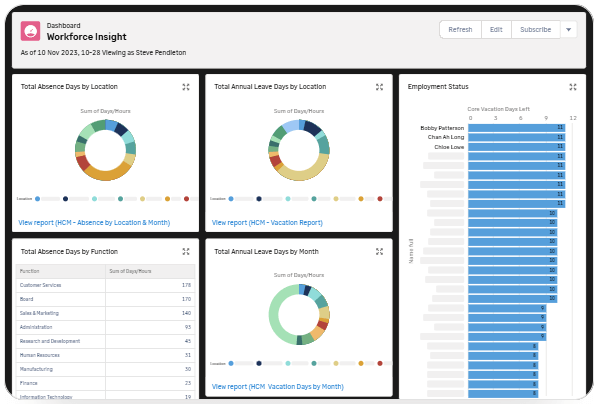
Sage is an attendance tracking software that allows employees to clock in and out via a web browser or the dedicated mobile app (iOS & Android). It offers automated digital timesheets that populate based on clock-in/out data. Employees can also submit manual timesheets for approval. Users can restrict clock-ins to specific locations or IP addresses, ideal for remote teams with location-specific requirements or on-site workers. It automatically flags and tracks overtime hours based on configured rules, monitors patterns of absence and lateness to identify issues early. In addition, employees can view their own attendance records, leave balances, and upcoming time off, reducing HR's administrative burden.
Key Features:
- Allows users to create and assign shifts to employees, manage rotating schedules, and notify employees of their shifts
- Managers can set up multiple leave types, accrual rates, and approval workflows tailored to the company policy
- Users can set an at-a-glance view of who is in, who is out, and team availability, preventing scheduling conflicts
- It enables employees to request time off (sick, vacation, or personal) directly through the system
To know more about Sage Attendance Tracking Software features and product options, click here to continue.
9. TimeCamp
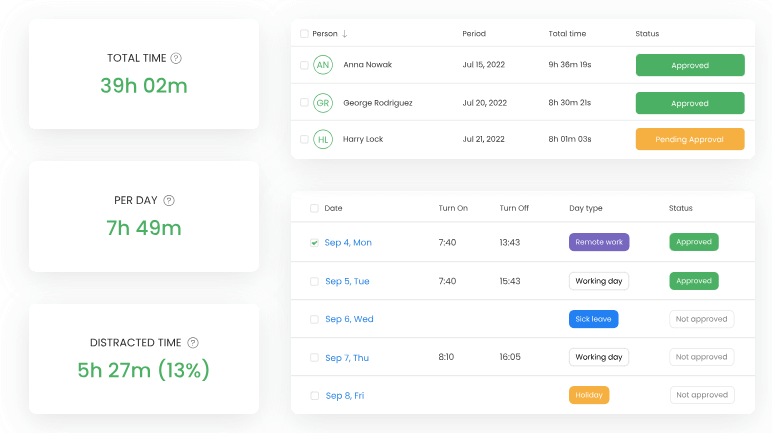
TimeCamp is an attendance tracking software that enables employees to easily clock in and out via the web app, desktop app, or mobile app. For remote or field employees, the mobile app can use GPS location to verify clock-in/out from a specific site. Users can restrict clocking in/out to specific IP addresses (e.g., only from the office network) for enhanced control. Employees can request time off, and managers can approve or deny requests, which are then automatically logged in the attendance calendar. In addition, users can configure the system to automatically deduct a specific break period (e.g., 30 minutes for lunch) from the total working hours, standardising break time calculations.
TimeCamp allows users to generate comprehensive reports on attendance, absences, punctuality, and worked hours and export data to PDF, Excel, or CSV for payroll processing or further analysis. It integrates with popular project management tools (Asana, Trello, Jira), calendar apps (Google Calendar, Outlook), and payroll software, creating a seamless workflow.
Key Features:
- Managers can set and get an at-a-glance view of who is currently working, who is absent, and who is late
- It can automatically flag and calculate overtime hours and late arrivals based on the defined schedule
- Users can track various types of absences: Vacation, Sick Leave, Personal Day, Maternity/Paternity Leave, etc
- Managers can set up different schedules for individuals, teams, or departments and manage flexible or part-time hours
To know more about TimeCamp Attendance Tracking Software features and product options, click here to continue.
10. Spintly
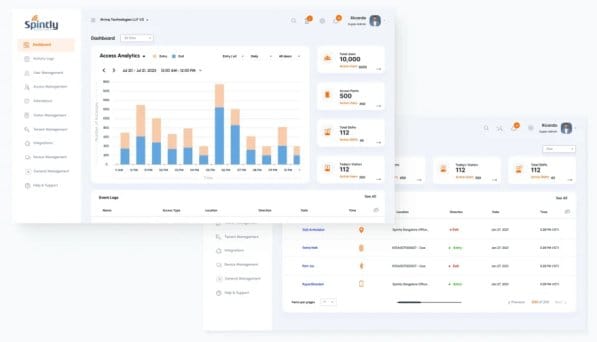
Spintly is an attendance tracking software that allows managers to get a live view of who is in/out, late arrivals, and absences. Users can restrict check-ins to a specific geographical boundary (e.g., the office building), ensuring employees are physically present. Employees can apply for leave directly through the app, and the attendance calendar is updated automatically. Managers can configure and manage multiple shifts (day, night, rotational) with specific timings and grace periods for late arrivals. In addition, it automatically generates detailed attendance reports (late arrivals, early departures, overtime) and can often be exported or integrated with popular payroll software, drastically reducing manual work.
Key Features:
- Managers can receive alerts for specific events, such as an employee missing a check-in, working overtime, or attempting an invalid access
- Allows employees to raise requests to regularise missed punches or correct attendance records (e.g., if they forgot to check in)
- Users can use the Spintly mobile for completely touchless, automatic attendance as employees enter/exit
- It provides a live view of who is present, who is absent, and who is running late, all at a glance
To know more about Spintly Attendance Tracking Software features and product options, click here to continue.
Conclusion
Attendance Tracking Software allows employees to log time against specific projects, clients, or jobs. This is essential for service-based businesses (like agencies, law firms, consultants) to track profitability and bill clients accurately. Allows users to generate specific reports required for government audits (e.g., EEO-1, ACA) or for use in legal disputes. Users can integrate with QuickBooks, ADP, and Gusto, allowing them to send approved hours to their payroll software.
